For small businesses, a website is more than just an online brochure; it functions as a primary sales channel, a customer service portal, and a direct reflection of brand credibility. Contemporary web design trends are not merely aesthetic fads but represent shifts in user behavior, technological capabilities, and search engine expectations. Ignoring these developments risks diminished online visibility, reduced customer engagement, and ultimately, lost revenue opportunities. The strategic adoption of relevant design principles can significantly impact conversion rates, user satisfaction, and search engine ranking, making the website a powerful asset rather than a static presence.
Prioritizing User Experience and Performance
Modern web design for small businesses must center on the user. A seamless, intuitive experience directly correlates with lower bounce rates and higher conversion potential. This involves more than just visual appeal; it encompasses site speed, ease of navigation, and content clarity.
Mobile-First Design and Responsiveness
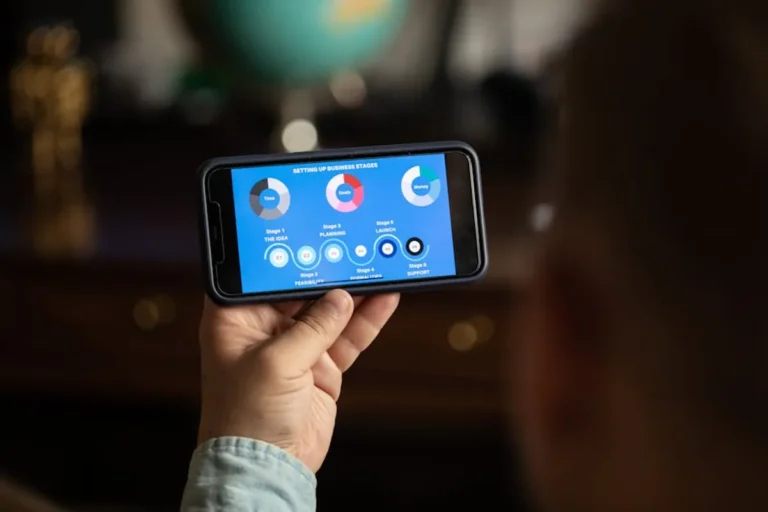
The majority of internet traffic now originates from mobile devices. Implementing a mobile-first design strategy means prioritizing the mobile user experience during the initial design phase, then scaling up for larger screens. This approach ensures that content loads quickly, is easily readable, and navigates smoothly on smartphones and tablets. Google's indexing prioritizes mobile versions of websites, making responsiveness a non-negotiable factor for search visibility. A truly responsive site dynamically adjusts layouts, images, and text to fit any screen size, preventing content overlap or truncated elements that frustrate users.
Optimized Site Speed and Core Web Vitals
Page load speed is a critical determinant of user retention and search engine ranking. Users expect websites to load within two to three seconds; delays beyond this threshold lead to significant abandonment rates. Small businesses must focus on optimizing image sizes, leveraging browser caching, minimizing server response times, and reducing unnecessary scripts. Google's Core Web Vitals metrics (Largest Contentful Paint, First Input Delay, Cumulative Layout Shift) provide specific, measurable benchmarks for site performance, directly influencing how search engines perceive and rank a site's user experience.
Intuitive Navigation and Clear Calls to Action
A user's journey through a small business website should be effortless. This requires simplified navigation menus, logical content hierarchies, and clear pathways to desired information or actions. Prominent and well-designed Calls to Action (CTAs) are essential for guiding visitors toward conversions, whether it's making a purchase, filling out a contact form, or signing up for a newsletter. CTAs should stand out visually, use action-oriented language, and be strategically placed within the user flow.
Pro Tip: While aesthetics are important, never let design choices compromise site speed or core functionality. A beautiful but slow website drives users away, negating any visual appeal and negatively impacting search engine performance.
Crafting a Distinct Digital Identity
In a competitive online landscape, a small business's web presence must convey its unique brand personality and value proposition. Design elements contribute significantly to this perception, fostering trust and recognition.
Visual Storytelling and Brand Consistency
High-quality visuals, including professional photography, custom illustrations, and engaging video content, are paramount for capturing attention and communicating a brand's story effectively. These elements should align with the business's overall brand identity, maintaining consistent color palettes, typography, and imagery across all digital touchpoints. This consistency builds brand recognition and reinforces professionalism, helping small businesses stand out from generic templates.
Subtle Animation and Micro-interactions
Thoughtfully implemented animations and micro-interactions can enhance user engagement without distracting from the core message. Examples include hover effects on buttons, subtle loading animations, or interactive elements that provide immediate feedback. These small details contribute to a more dynamic and enjoyable user experience, making the website feel modern and responsive. The key is moderation; excessive or poorly executed animations can hinder performance and annoy users.
Ensuring Accessibility and Inclusivity
Designing for accessibility is not just a regulatory consideration; it expands a small business's potential customer base and demonstrates a commitment to inclusivity. An accessible website ensures that individuals with disabilities can perceive, understand, navigate, and interact with the content.
Key accessibility considerations include:
- Alt Text for Images: Providing descriptive alternative text for all images allows screen readers to convey visual information to visually impaired users.
- Keyboard Navigation: Ensuring all interactive elements can be accessed and operated using only a keyboard benefits users who cannot use a mouse.
- Color Contrast: Maintaining sufficient contrast between text and background colors improves readability for users with various visual impairments.
- Clear Form Labels and Error Messages: Forms should be easy to understand and complete, with helpful error messages that guide users.
- Semantic HTML: Using appropriate HTML tags (e.g., <h1> for headings, <nav> for navigation) provides structure that assistive technologies can interpret.
Adhering to Web Content Accessibility Guidelines (WCAG) helps small businesses reach a broader audience and avoid potential legal issues.
Strategic Implementation for Growth
Adopting web design trends requires a strategic approach, balancing immediate needs with long-term growth objectives. Small businesses should view their website as an evolving asset that requires continuous refinement.
Integrating Local SEO Elements
For many small businesses, local customers are crucial. Web design can support local SEO by prominently displaying contact information, embedding Google Maps, showcasing customer testimonials, and ensuring business schema markup is correctly implemented. This helps search engines connect local users with relevant local businesses, driving foot traffic and local inquiries.
Data-Driven Design Iteration
The most effective web designs are not static. Small businesses should leverage analytics tools to monitor user behavior, identify pain points, and measure the effectiveness of design choices. A/B testing different layouts, CTA placements, or content formats can provide valuable insights for iterative improvements. This data-driven approach ensures that design decisions are based on actual user interaction rather than assumptions, leading to continuous optimization for commercial goals.
Moving Forward with Your Web Presence
The landscape of web design is dynamic, but the underlying principles for small businesses remain constant: prioritize the user, establish a clear brand identity, ensure accessibility, and optimize for performance. By strategically adopting relevant trends, small businesses can transform their websites into powerful engines for growth, enhancing customer engagement, improving search visibility, and directly contributing to their bottom line. Focus on consistent, incremental improvements rather than attempting to implement every trend simultaneously. A well-designed website is an investment that yields returns through improved user experience and stronger commercial outcomes.
Frequently Asked Questions
How often should a small business update its website design?
A full redesign may not be necessary every year, but significant updates or a complete overhaul every 2-3 years is generally recommended to keep pace with technological advancements, user expectations, and evolving brand needs. Continuous, incremental improvements based on analytics data should happen more frequently.
Can a small business implement these trends without a large budget?
Many modern web design trends, such as mobile responsiveness and performance optimization, can be addressed through careful planning, utilizing efficient content management systems, and optimizing existing assets. While professional design services offer distinct advantages, even budget-conscious businesses can make significant improvements by focusing on core principles and leveraging available resources.
What is the most critical web design trend for immediate impact?
For immediate commercial impact, focusing on mobile-first design and site speed (Core Web Vitals) is paramount. These two areas directly influence user retention, bounce rates, and search engine ranking, which are critical for driving traffic and conversions.
How do web design trends affect SEO for small businesses?
Web design trends profoundly impact SEO. Mobile responsiveness, fast load times, intuitive navigation, clear content structure, and accessibility are all direct ranking factors or indirectly influence user engagement metrics that Google considers. A well-designed site improves crawlability, indexability, and overall user experience, leading to better search performance.